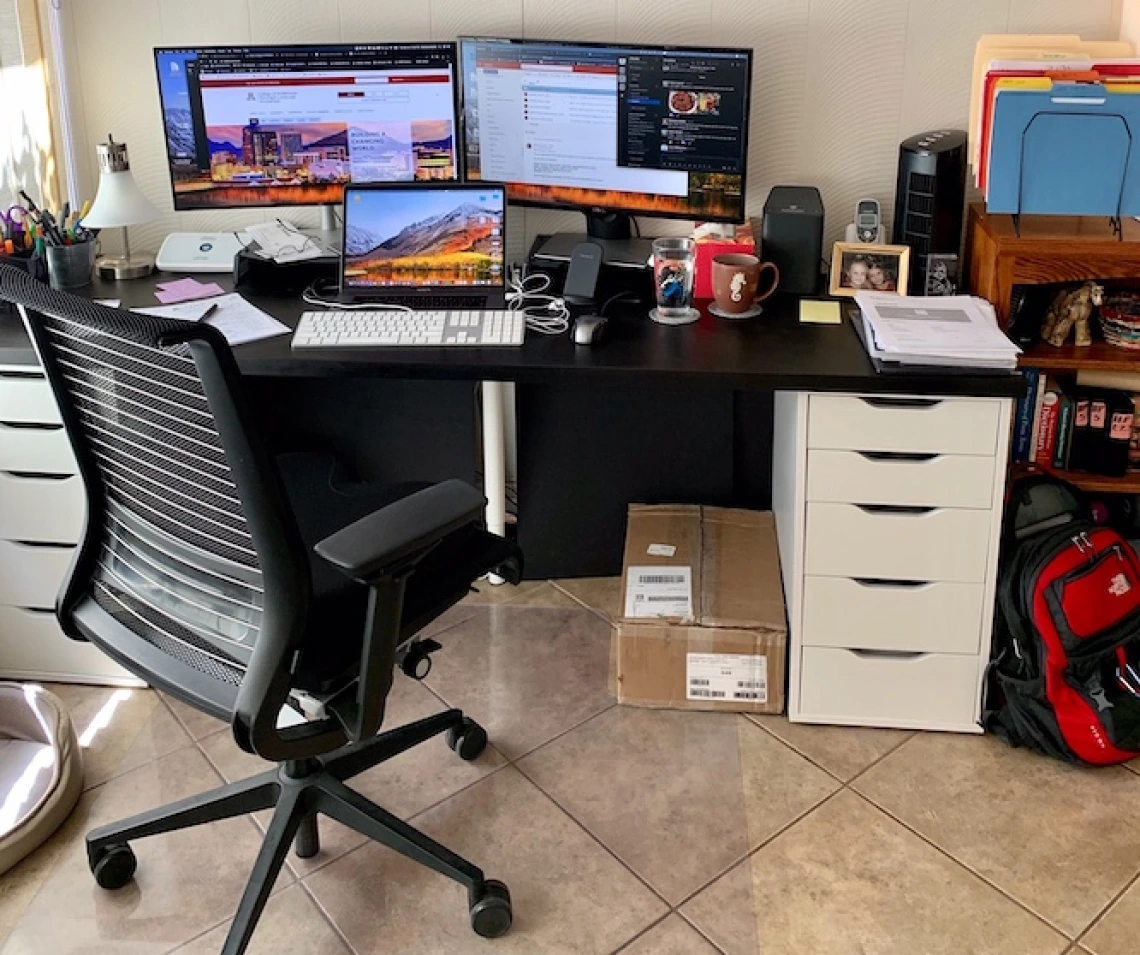
Let’s be honest. That kitchen table setup from 2020? It’s probably not cutting it anymore. As remote and hybrid work becomes a permanent fixture, our furniture needs have evolved. It’s no longer just about having a laptop perch; it’s about creating a dedicated, functional, and—dare we say—inspiring space that supports our well-being and output for the long haul.
Think of your home office furniture as the foundation of your workday. Get it right, and the hours flow more smoothly. Get it wrong, and you’re battling aches, distractions, and a creeping sense of “I just can’t focus here.” So, let’s dive into the essentials for crafting a workspace that truly works for you.
The Non-Negotiable Core: Your Desk and Chair
This is the dynamic duo, the heart and soul of your setup. Skimp here, and you’ll feel it in your back, your wrists, your neck… you get the idea.
The Ergonomic Throne: Your Chair
An ergonomic office chair isn’t a luxury; it’s your primary tool for physical sustainability. You don’t need a $1,000 model, but you do need key features. Look for adjustable seat height, lumbar support (that actually fits the curve of your lower back), and armrests. The goal? Your feet flat on the floor, thighs parallel to the ground, and your screen at or just below eye level.
Mesh backs are fantastic for breathability, especially in warmer climates. And honestly, the wheels matter more than you think—easy movement reduces awkward twisting.
The Command Center: Your Desk
The big trend? Adjustable height standing desks. They’re a game-changer, allowing you to shift between sitting and standing throughout the day. It fights fatigue, improves circulation, and can boost energy. If a full sit-stand desk isn’t in the budget, a sturdy desktop converter is a brilliant compromise.
Surface area is crucial. Measure your gear: monitors, laptop, notebook, a cup of coffee. You need space to think, not just to house equipment. Depth is often overlooked—a deeper desk (30 inches or more) gives your monitor the proper distance and leaves room in front of your keyboard.
Beyond the Basics: Smart Storage and Support
A clean space fosters a clear mind. Clutter, on the other hand, is visual noise. Effective storage solutions for home offices are what transform a temporary station into a professional setup.
Here’s a quick breakdown of storage types and their best uses:
| Storage Type | Ideal For | Pro Tip |
| Floating Shelves | Books, decor, frequently referenced binders. | Keep them within arm’s reach of your desk to avoid constant up-and-down. |
| Mobile Filing Cabinets | Documents, supplies, archives. The mobility is key for flexible layouts. | Look for one that can double as a printer stand or side table. |
| Desk Organizers & Drawer Dividers | Taming the small stuff: pens, cables, sticky notes, thumb drives. | Go vertical! Tiered organizers use desk real estate wisely. |
| Cable Management Trays & Sleeves | The eternal battle against cord spaghetti. Essential for a clean look and safety. | Use velcro ties inside the tray for easy adjustments later. |
Lighting and Ambiance: The Unsung Heroes
Bad lighting will strain your eyes and sap your energy. Harsh overhead lights? A recipe for headaches. The ideal setup layers three types of lighting:
- Ambient (General) Light: The overall room light. A ceiling fixture with a dimmer is perfect.
- Task Light: This is your dedicated desk lamp. An adjustable arm lamp is perfect for remote work ergonomics, directing light exactly where you need it without screen glare. LED with adjustable color temperature (from warm to cool white) lets you match the light to your task and time of day.
- Accent Light: A small floor lamp in the corner or some subtle LED strips behind the desk. This adds depth, reduces contrast in the room, and just makes the space feel more “designed” and less sterile.
Putting It All Together: Layouts for Common Spaces
Not everyone has a spare room. Here’s how to tackle furniture placement in tricky spots.
The Dedicated Room
You have the luxury of space. Position your desk to face the door or a window—not a blank wall—if possible. It feels less confined. Use a room divider or a tall bookcase to separate your work zone from any exercise equipment or storage if it’s a multi-purpose room.
The Corner Nook or Bedroom Setup
Space optimization is key. An L-shaped desk can maximize corner utility. A compact, wall-mounted desk frees up floor space visually. The most important rule here? Create a visual end-of-day ritual. A rolling cart that holds your work stuff and can be tucked into a closet, or a simple screen you pull across the area, signals to your brain that work is over.
The Living Room Dual-Function
This is the ultimate test. Furniture that blends is your friend. A beautiful, armoire-style desk that closes up completely. A console table behind the sofa that doubles as a standing desk. The goal is to choose pieces that support your work without screaming “office” during family time.
A Final, Human Thought
Investing in your home office furniture isn’t about chasing an aesthetic trend on social media. It’s a tangible investment in your comfort, your health, and the quality of your work. It’s acknowledging that this space matters. Start with the chair and desk—the foundation. Then build out slowly, listening to what your body and workflow actually need, not just what a checklist says.
The perfect setup isn’t about perfection at all, you know? It’s about creating a corner of the world that feels intentionally yours, where you can both focus deeply and walk away from easily. That’s the real ROI.